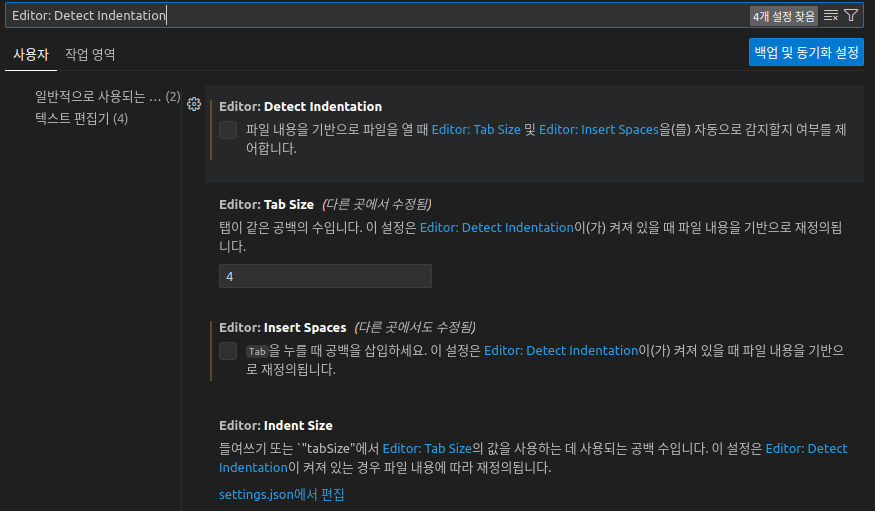
Editor: Detect Indentation 사용자 작업 영역 일반적으로 사용되는... (2) 텍스트 편집기 (4) 4개 설정 찾음 백업 및 동기화 설정 Editor: Detect Indentation 파일 내용을 기반으로 파일을 열 때 Editor: Tab Size 및 Editor: Insert Spaces을(를) 자동으로 감지할지 여부를 제 어합니다. Editor: Tab Size (다른 곳에서 수정됨) 탭이 같은 공백의 수입니다. 이 설정은 Editor: Detect Indentation이(가) 켜져 있을 때 파일 내용을 기반으로 재정의됨 니다. 4 Editor: Insert Spaces (다른 곳에서도 수정됨) Tab 을 누를 때 공백을 삽입하세요. 이 설정은 Editor: Detect Indentation이(가) 켜져 있을 때 파일 내용을 기반으 로 재정의됩니다. Editor: Indent Size 들여쓰기 또는 "tabSize"에서 Editor: Tab Size의 값을 사용하는 데 사용되는 공백 수입니다. 이 설정은 Editor: Detect Indentation이 켜져 있는 경우 파일 내용에 따라 재정의됩니다. settings.json에서 편집
Editor: Detect Indentation 만 체크해제 해서는 안된다. 아래처럼 설정한다. (Detect Indentation 도 체크해제)